Kopdes Shift Anomalies How to Identify Anomalies at the Counter
A practical kick-or-serve checklist for the village cooperative night shift.
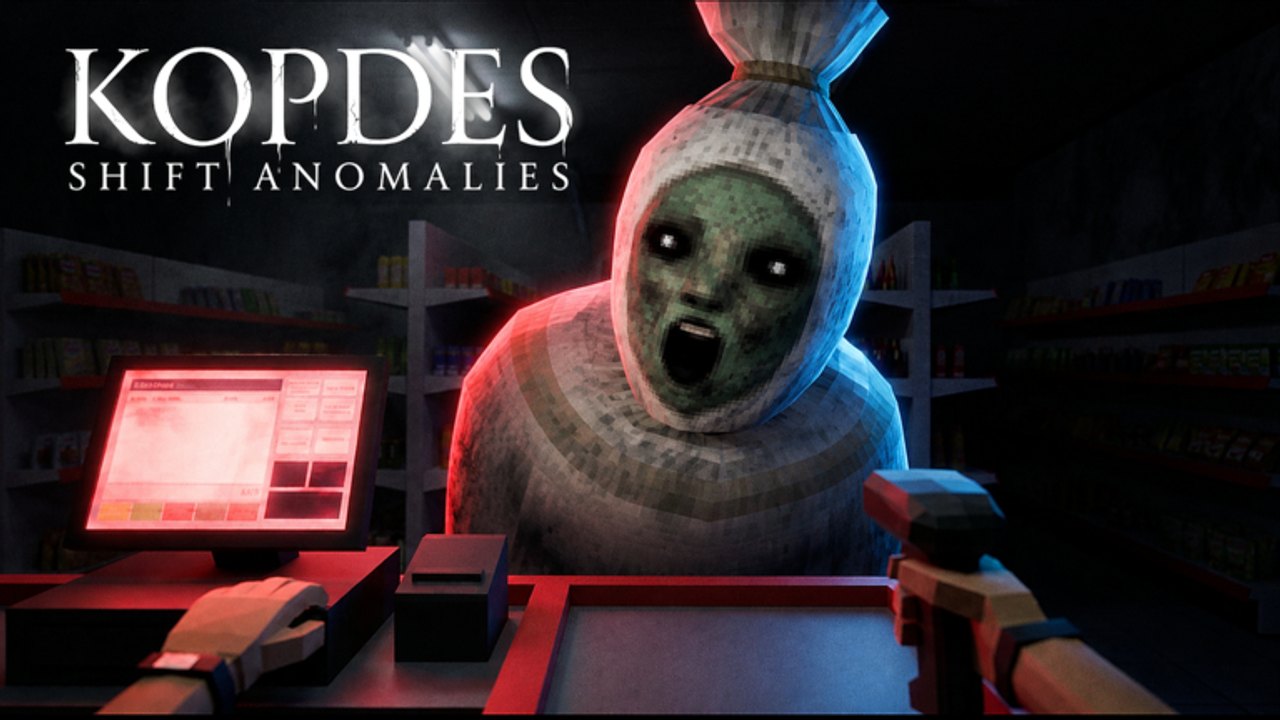
Every wipe in Kopdes Shift Anomalies starts with the same question: is this customer human? Imaginature Interactive built the Roblox experience around observation, not combat DPS. You scan baskets and take cash at a village cooperative, but anomalies wearing folklore skins—Pocong, Kuntilanak, Genderuwo, Tuyul, and more—will ruin the shift if you treat them like regulars. This guide turns the in-game regulations into a usable identification system you can run under pressure.
Pair it with the printable anomaly checklist, the community threat tiers, and the Getting Started loop. When a patch adds customers or sounds, re-read the changelog and retest your tells.
Build a two-second scan order
Train yourself to glance in the same order every time so co-op callouts stay consistent:
- Face and eyes — blank, missing, or fully black?
- Head and body — rotated backward, too large, wrong proportions?
- Payment and dialogue — leaves instead of money, burial shroud requests, impossible shopping lists?
- Timing — did they arrive when the board shows 3:00?
- Behavior in line — teleporting, vanishing, grabbing from empty shelves, dripping baskets, flying goods?
- Store systems — phone after midnight, self-starting radio, warehouse book, knocking on glass?
If any step fails the rules book, kick. Do not finish the scan “to be polite.”
Face and body tells
Creators reading the regulations repeatedly highlight:
- Blank face / no face
- All-black eyes
- Head rotated backward
- Body that is too big for a normal villager silhouette
These are high-confidence kicks. When lighting is bad, crouch or reposition for a clean look before you commit—especially in co-op where two people can confirm. See Controls if camera or interact prompts feel awkward on your device.
Payment and request tells
Anomalies often break economic or cultural logic:
- Paying with leaves
- Looking for a burial shroud (kain kafan style requests)
- Asking for items that make no sense for a cooperative night run
If the wallet content or dialogue matches a forbidden rule, refuse service immediately. Leaf money is one of the easiest early tells for new cashiers—use it as a confidence builder on night one.
Clock and schedule tells
Time is a mechanic:
- Customers that arrive when the clock shows 3:00 are called out as kick targets in rule readings
- After 12:00 AM, do not answer the phone
- Avoid leaving the shop or reading the warehouse book at 3:00 AM when the regulations forbid those actions
Think of the clock as a second HUD. A perfect face scan still fails if you break a time rule and feed a specialty ending you did not want. Survive the Night covers phase pacing around midnight and the 3 AM window.
Environment and object tells
Not every anomaly stands politely at the register:
- Items flying on their own
- Goods taken from empty shelves
- Baskets that drip
- Customers who take things themselves without a normal checkout flow
- Movement without walking, long freezes, or repeated disappearing
Floor players in co-op should own these calls while the register lead watches faces. Role split details live on Co-op Tips.
Folklore entities vs “weird human” anomalies
Some threats are obviously supernatural. Others look almost normal until one detail breaks. Treat folklore names as flavor labels on top of the rules:
- Genderuwo — frequently associated with hide / reposition moments rather than a casual serve
- Pocong / Kuntilanak / Tuyul — expect jumpscare pressure if mis-handled
- Toilet ghosts, roof threats, crawling nuns, dancing figures, spiders — appear in creator sessions as map pressure beyond the queue
When you hear a named entity, decide kick, hide, or utility (radio/phone/warehouse) based on the current rules and your team’s call. Deep folklore context lives on Folklore Entities; prevention discipline lives on Night Rules. The tier list ranks how punishing each category feels for average lobbies.
Radio, phone, and warehouse discipline
Identification is not only visual. System interactions can create anomalies or endings:
- Self-starting radios: follow the “touch three times” style instruction from the book before you ignore them
- Midnight phones: refusing the call is the skill; answering is the trap
- Warehouse book: curiosity endings exist—read intentionally with the Endings Guide, not by accident
Decision tree when you are unsure
- Re-open the rules (fast key—see Controls).
- Ask co-op for a second look on face/payment.
- If still unclear and the customer matches any listed tell, kick.
- If truly human and the line is growing, serve quickly and reset your scan order.
- Log the miss after the shift and update your personal notes beside the checklist tool.
Practice drills
- Face-only night: kick only on face/eye/head tells; learn confidence
- Payment night: hunt leaf and shroud requests
- Utility night: never touch forbidden phone/warehouse actions
- Update night: after a patch, spend one shift only listening for new audio cues (Updates)
Related pages
- Getting Started
- Folklore Entities
- Night Rules
- Survive the Night
- Anomaly Checklist
- Anomaly Threat Tiers
- Guides Hub
Master identification and the rest of the game becomes routing. Fail identification and every ending hunt collapses into the same fired cutscene.
Frequently Asked Questions
Quick answers to the most common questions.
What is the fastest anomaly tell for beginners?
Blank or missing faces, all-black eyes, and leaf payments are high-confidence kicks once you have read the regulations once.
Should I always kick if I am unsure?
If any listed rule matches, kick. If nothing matches and the customer looks fully normal, serve—but ask a co-op partner when possible.
Is Genderuwo a normal kick?
Gameplay callouts often treat Genderuwo as a hide or reposition threat. Follow the current rules and team plan instead of forcing a register interaction.
Do updates change anomaly tells?
Yes. New customers, ghosts, and sounds can alter timing. Recheck the changelog and retest after major patches.
Where can I keep a short checklist?
Use the Tools page Anomaly Checklist alongside this guide during live shifts.